
GitHub CLI's expiring tokens: a smaller prize for anything that reads your laptop
GitHub CLI 2.103.0 can store short-lived, auto-refreshing OAuth tokens. What changes for developers and coding agents, and which scripts will break.
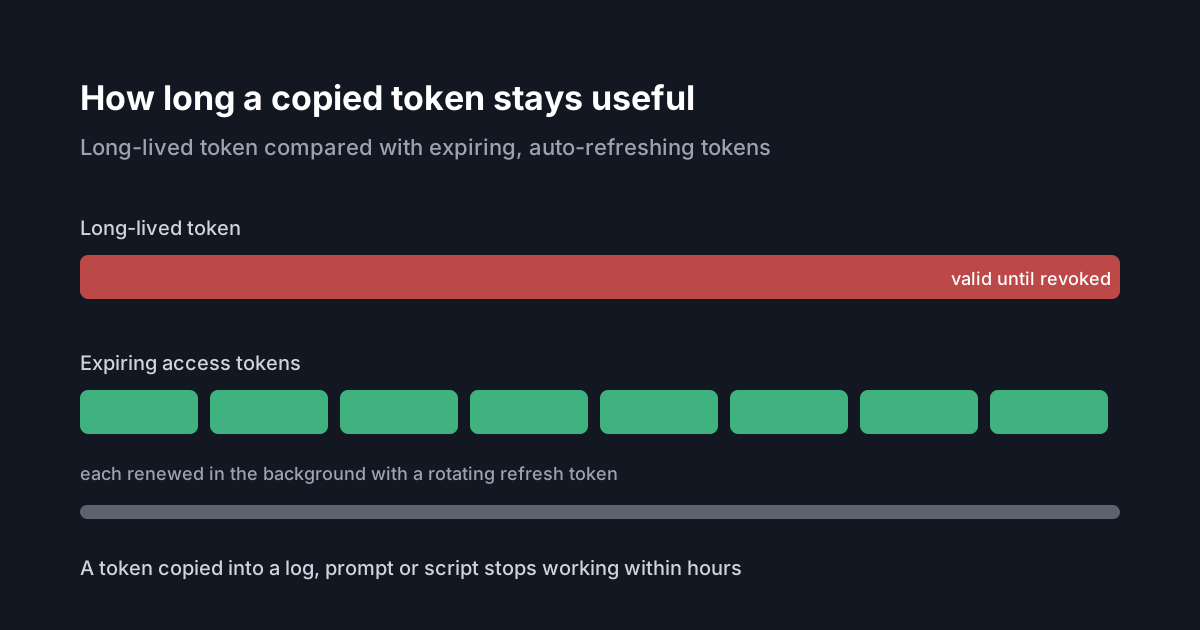
The GitHub CLI token on a developer's laptop is one of the most useful credentials an attacker can find there. It usually has broad scopes, it rarely expires, and coding agents use it all the time because so many of them call gh to open pull requests, read issues or check CI. On 21 October 2026 GitHub announced a public preview that lets the CLI keep a short-lived token instead, refreshed automatically. It is opt-in for now. It is worth trying on developer machines, with care for the scripts it will break.
What GitHub shipped
From GitHub CLI 2.103.0, gh auth login --expiring asks for an expiring OAuth credential. To make that the default for every sign-in, run gh config set expiring_credentials enabled. When it works, gh stores an expiring access token together with a rotating refresh token and refreshes the access token in the background when needed. In GitHub's words, a leaked access token "becomes unusable within hours instead of lasting indefinitely". gh auth status shows when the current token expires.
For git over HTTPS, GitHub strongly recommends running gh auth setup-git so that gh acts as git's credential helper and can hand git a fresh token. It also recommends git 2.46 or newer, which lets gh mark expiring credentials so git does not cache them past their lifetime.
The changelog lists a few properties that matter for planning:
- It is backward compatible. Without the flag or the setting, nothing changes.
- If a server does not support refreshable credentials,
ghfalls back to an ordinary non-expiring token. - It is available on github.com and ghe.com today, and on GitHub Enterprise Server from version 3.23.
- GitHub plans to make expiring credentials the default for new sign-ins in a future release.
The flag is a request, not a promise
The gh auth login manual adds a detail the changelog only hints at: --expiring is "a preference, not a guarantee". Whether you get an expiring token depends on the host and the OAuth app configuration. A host without support issues a non-expiring token, and a host configured for expiring tokens may issue them even without the flag. To force a non-expiring token, pass --expiring=false.
So after opting in, check rather than assume. gh auth status on a sample of machines tells you what you actually got.
What will break
The changelog is candid that short-lived tokens break anything that captures a token once and reuses it. Scripts and gh extensions that run gh auth token and store the output, or copy the token into another tool, will eventually hold an expired token. GitHub's advice is to read the token fresh with gh auth token each time, which refreshes it when needed, and to hold off opting in for any workflow that depends on a long-lived token.
In practice, look for these patterns before switching a team over:
- shell profiles that export
GH_TOKENorGITHUB_TOKENfromgh auth tokenat login; - configuration files for other tools, including MCP servers, with a GitHub token pasted in;
- long-running processes that read the token at start-up and keep it in memory;
- git versions older than 2.46, where
ghstill works but cannot mark credentials so git stops caching them once they expire.
Note that the preview concerns the CLI's own sign-in on a person's machine. It is not about the tokens CI systems issue to jobs, and we would not read it as changing how those work.
What it means for engineering and security leaders
Two kinds of software read credentials from developer machines: malware, and the AI tools developers run themselves. We have written about both, in infostealers that target AI coding tool credentials and limiting what an agent's credentials can reach. A long-lived CLI token makes either case worse, because whatever reads it once can use it for as long as nobody revokes it.
Expiring tokens do not stop the theft. Whoever can read the token store can probably read the refresh token too, and while the refresh token is valid it can be used to mint new access tokens. What expiry does is shrink the value of a copied access token, such as one written into a log, pasted into a prompt, echoed into an agent transcript or exported into an environment variable that a child process inherits. Those are exactly the places coding agents tend to leave tokens.
It also fits advice the MCP project gives for local servers. Its security guide for local MCP servers recommends giving each server its own narrowly scoped token, and using short-lived credentials issued at launch instead of static ones. A gh token that expires within hours is a step in that direction for one of the most widely used developer credentials, though it does nothing about scope. A broad token that expires is still a broad token while it is valid.
Practical takeaways
- Try
gh auth login --expiringon a few developer machines running 2.103.0 or later, and confirm the result withgh auth status. - Run
gh auth setup-gitand move developers to git 2.46 or newer before rolling it out. - Find scripts, extensions and tool configurations that store the output of
gh auth token, and change them to read it fresh each time. - Keep a separate, narrowly scoped token for each MCP server or agent integration rather than reusing the CLI's sign-in.
- If you run GitHub Enterprise Server, plan the upgrade to 3.23 if you want this on your own instance.
- Revisit the setting when GitHub makes expiring tokens the default, so that nothing breaks unexpectedly.