
A public status page for the SpanDock relays
A new status page shows whether each SpanDock relay is up, how fast it answers and its uptime over 90 days, so you can tell where a connection problem lies.
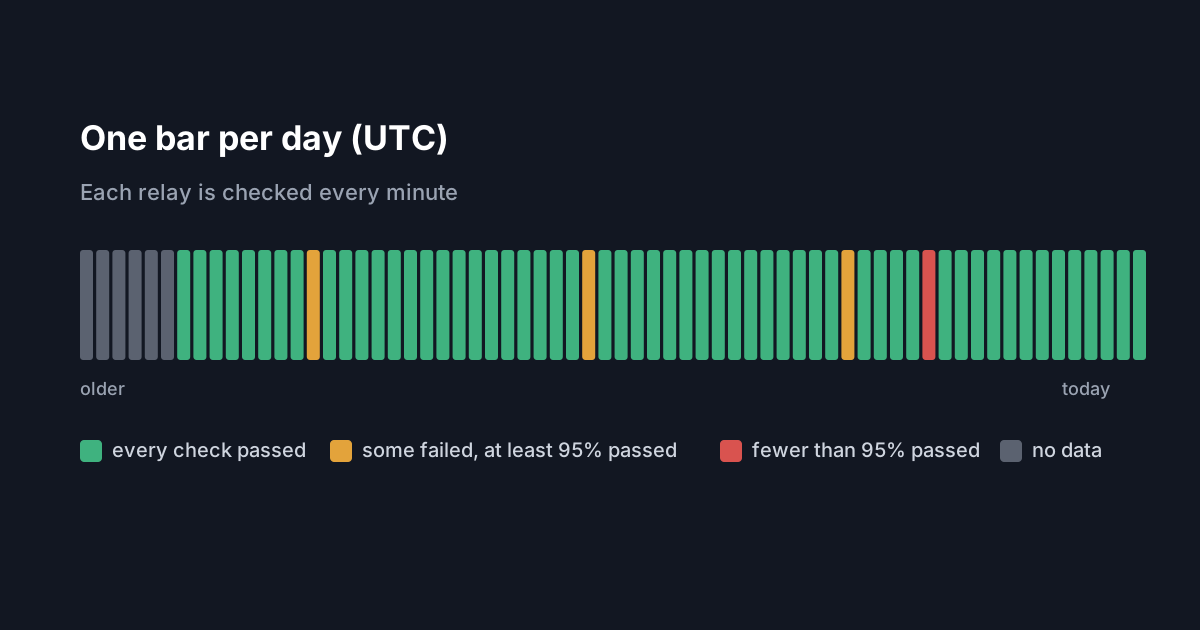
The SpanDock website now has a public status page for its relays at /status, linked from the footer of every page. It shows whether each relay is working right now, how quickly it answers and how it has done over the last 90 days. If a client can't reach its server, it is the first place to check whether the problem is on our side.
What the relays do
When a client pairs with a server, it talks to it over an encrypted tunnel, as the pairing guide describes. The relays carry that tunnel between clients and servers. Tunnel traffic stays end-to-end encrypted, and the relay cannot read it: it passes the connection along without seeing what is inside.
What the page shows
Each relay appears by its location only. For each one, the page shows:
- its current status: Operational, Degraded or Down;
- its response time;
- its uptime over the last 90 days;
- a row of bars, one per day.
At the top, a summary line says whether all relays are operational and when they were last checked. The page updates every minute.
How to read it
Every minute, the monitoring checks that each relay answers. A relay counts as down after two failed checks in a row, and as up again after two good ones. So a single failed check does not by itself mark a relay as down.
Degraded sits between the two. It means one of three things: the latest check failed, the latest check answered slowly, or the relay hasn't been checked enough times yet to say.
Each bar in the row is one day, in UTC:
- Green: every check that day passed.
- Amber: some checks failed, but at least 95% passed.
- Red: fewer than 95% of checks passed.
- Grey: no data for that day.
Hovering over a bar shows that day's figures.
When to use it
If clients suddenly can't reach a server, open the status page before changing anything. If the nearest relay shows Down or Degraded, the cause is likely on our side, and re-pairing clients or changing the server's tunnel address is unlikely to help. If every relay shows Operational, look closer to home: the server itself, the client's network, or whether the client is still approved. The pairing guide covers managing clients and the tunnel from the server.
The status page is public, so you can open it without signing in. It reports what the monitoring measured; it is not a promise of a level of service.