
Two Claude-branded npm packages flagged as malware: checking you have the real tool
GitHub flagged @claudecode/cli and @claudeorg/universal-code-generator as malware in November 2026. What the advisories say, and how to install the real CLI.
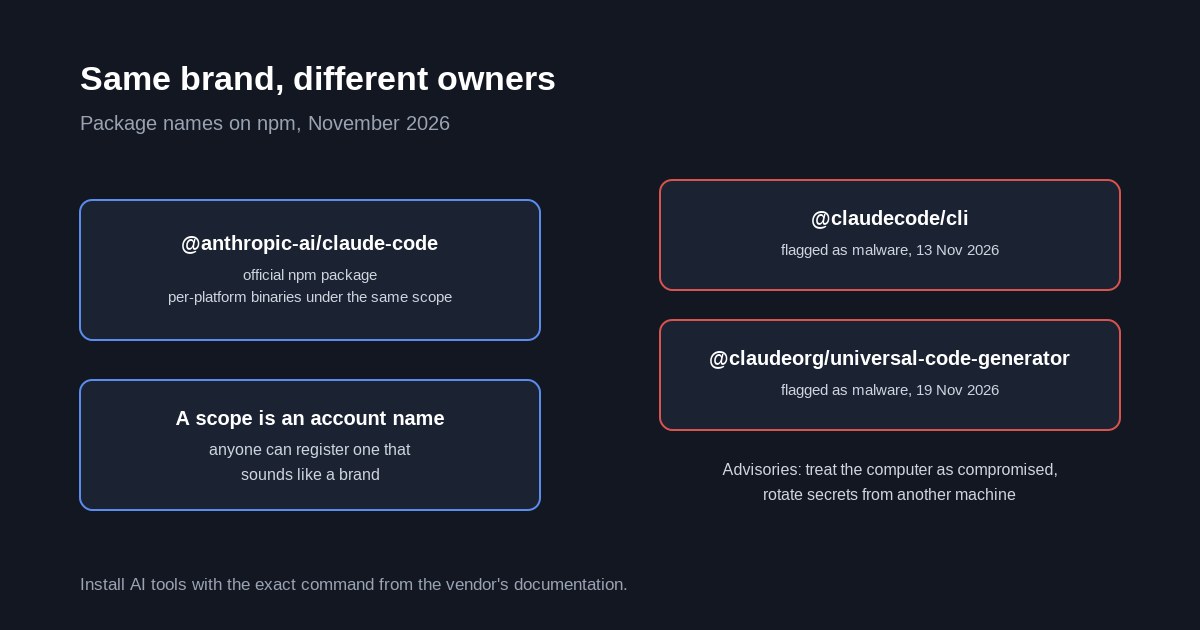
In one week of November 2026, GitHub's advisory database flagged two npm packages with Claude in their names as malware: @claudecode/cli on 13 November and @claudeorg/universal-code-generator on 19 November. Neither belongs to Anthropic. Both now show only a security holding package on npm. The advisories are short, and they don't say how many people installed either package, but their instructions are severe: treat any computer that had them as fully compromised. If your developers install AI coding tools themselves, this is a good moment to check how they get them.
What the advisories say
Both advisories, GHSA-vp2q-gp5r-xh5j and GHSA-2rgp-c9mf-f8q7, are rated critical and cover every version of each package, with no patched version. Their text is the standard wording for npm malware: any computer that has the package "installed or running should be considered fully compromised". Secrets and keys on it should be rotated "immediately from a different computer". Removing the package isn't enough, because "there is no guarantee that removing the package will remove all malicious software resulting from installing it".
The advisories don't describe what the code did, how it was found, or who published it. We haven't seen a primary source that does, so this article doesn't guess.
How long they were available
npm's public registry records give some timing. The record for @claudecode/cli lists a version 0.0.2 published on 8 August 2025, and the security holding package on 13 November 2026, the same day as the advisory. The record for @claudeorg/universal-code-generator lists versions 1.0.5 on 29 October 2026 and 1.0.6 on 1 November 2026, then the holding package on 19 November. In other words, the first name was on the registry for about fifteen months before it was flagged. The registry doesn't say whether earlier versions or contents changed in that time.
Why a scope name proves nothing
A name like @claudecode/cli looks official because it reads like a product name and a component. On npm, though, a scope is just an account name. The npm documentation says that when you sign up for a user account or create an organisation, "you are granted a scope that matches your user or organization name". Anyone can create an account, so anyone can hold a scope that sounds like a brand, as long as nobody took it first.
The official package is elsewhere. Anthropic's setup documentation gives the npm install as @anthropic-ai/claude-code, and says that package pulls in the same native binary as the standalone installer through per-platform optional dependencies, such as @anthropic-ai/claude-code-darwin-arm64. The documentation recommends the native installer, and it describes a way to verify downloads: each release publishes a manifest.json with SHA256 checksums for every platform binary, signed with an Anthropic GPG key, so checking the signature on the manifest checks every binary it lists. The Linux package repositories are signed with the same release key.
Checking which claude a machine runs
The same setup page gives a quick way to see what is installed. On macOS and Linux, the native installer manages a launcher at ~/.local/bin/claude that points into ~/.local/share/claude/versions/, and claude doctor reports a launcher the native installer didn't create. An npm installation should come from @anthropic-ai/claude-code, which you can confirm with npm ls -g --depth=0. Neither check proves a machine is clean, and a package with a different name may not install a command called claude at all. Together they tell you whether the tool people think they are running is the one Anthropic documents, which is the first question to answer before anything else.
What it means for engineering and security leaders
Coding agents are installed by developers, often from a search result or a snippet in a chat, with the developer's own credentials in reach. That makes their package names a target in the same way popular libraries have been. The difference is that the agent itself, once installed, also has broad access to the machine and to source code, so a fake one doesn't need much cleverness.
The good news is that the defence is unglamorous and cheap. Publish the exact install command for each approved AI tool, from the vendor's documentation, in one internal page. Prefer installers that can be verified, such as signed packages or a signed manifest. And make it easy for people to report "I installed something odd" without blame, because the advisory's instructions, rotating every secret from another machine and rebuilding, only work if someone starts them.
There is a limit to what package hygiene can show. The advisories don't tell you how many machines were affected, and nothing on the registry lists who downloaded a package. Your own evidence will have to come from your machines: shell histories, global package lists and lockfiles.
Practical takeaways
- Search for both names in global npm installs (
npm ls -g --depth=0), lockfiles and CI caches across your estate. - If you find either, follow the advisory: isolate the machine, rotate its secrets from a different computer, and rebuild rather than uninstall.
- Publish the approved install commands for each AI coding tool, with the exact package or installer from the vendor's own documentation.
- Verify Claude Code downloads with the signed
manifest.jsondescribed in Anthropic's setup documentation, or use the signed package repositories on Linux. - Watch new scopes in your registry proxy: an allowlist of approved scopes, such as
@anthropic-ai, stops a lookalike before it reaches a laptop. - Treat AI tools as privileged software in onboarding material, alongside password managers and VPN clients.
Sources
- GitHub advisory GHSA-vp2q-gp5r-xh5j: Malware in @claudecode/cli (13 November 2026)
- GitHub advisory GHSA-2rgp-c9mf-f8q7: Malware in @claudeorg/universal-code-generator (19 November 2026)
- npm registry record for @claudecode/cli
- npm registry record for @claudeorg/universal-code-generator
- Claude Code docs: Advanced setup (install with npm, binary integrity and code signing)
- npm Docs: About scopes